 Dave Johnson
I encountered an error and thought I’d post the solution here since it just might happen to you sometime! Here’s the scenario:
I was planning to take the winston npm module out for a spin to try out it’s awesome logging capabilities. I created a directory called winston to create a project and conduct the test. What would be more logical than that? 🙂
Next, I ran npm init to create a package.json file hitting my Enter key as fast as it could go to accept all the defaults for this throwaway test project:
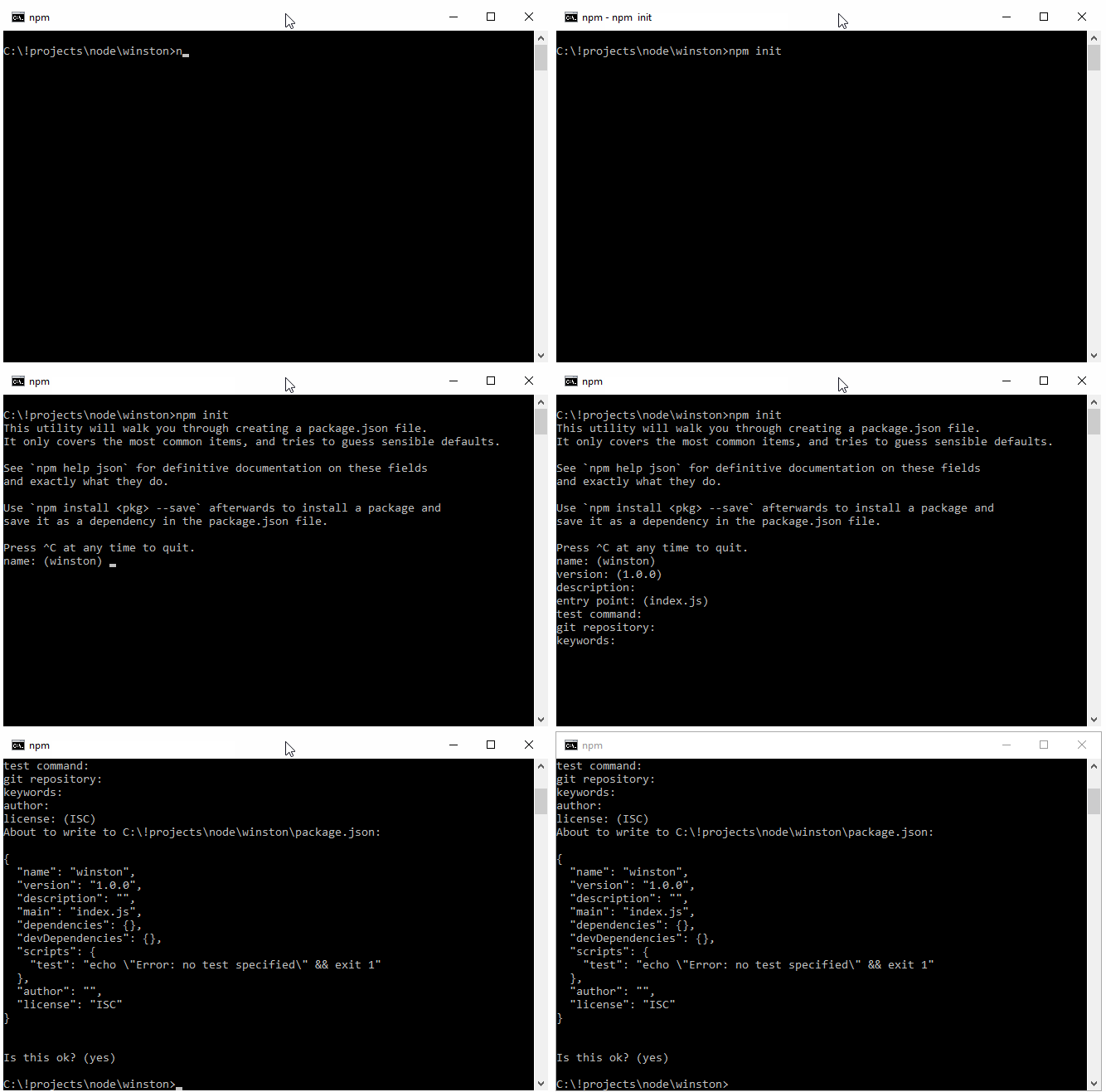
It looks like we are good to go! Let’s go ahead and install winston locally with the
--save flag to save the dependency in the package.json file.
npm install winston --save
We are greeted with the following error:
npm ERR! Windows_NT 10.0.10586
npm ERR! argv "C:\\Program Files\\nodejs\\node.exe" "C:\\Users\\Dave\\AppData\\Roaming\\npm\\node_modules\\npm\\bin\\npm-cli.js" "install" "winston"
npm ERR! node v5.3.0
npm ERR! npm  v3.6.0
npm ERR! code ENOSELF

npm ERR! Refusing to install winston as a dependency of itself
npm ERR!
npm ERR! If you need help, you may report this error at:
npm ERR!     <https://github.com/npm/npm/issues>

npm ERR! Please include the following file with any support request:
npm ERR!     C:\!projects\node\winston\npm-debug.log
Uh oh, this is not looking good. This looks like a serious error. Winston is not able to install a dependency of itself. What is the solution?
Let’s inspect the package.json file:
{
  "name": "winston",
  "version": "1.0.0",
  "description": "",
  "main": "index.js",
  "scripts": {
    "test": "echo \"Error: no test specified\" && exit 1"
  },
  "author": "",
  "license": "ISC"
}
On line 2, we see that the name of our project is winston. I don’t think npm likes that since we are trying to install a package named “winston”. Let’s rename our project to “winston-test”, and save the package.json file:
{
  "name": "winston-test",
  "version": "1.0.0",
  "description": "",
  "main": "index.js",
  "scripts": {
    "test": "echo \"Error: no test specified\" && exit 1"
  },
  "author": "",
  "license": "ISC"
}
Let’s now try to install the npm package again:
npm install winston --save
This time, the npm package installs successfully:
[email protected] C:\!projects\node\winston
`-- [email protected]
  +-- [email protected]
  +-- [email protected]
  +-- [email protected]
  +-- [email protected]
  +-- [email protected]
  +-- [email protected]
  `-- [email protected]

npm WARN [email protected] No description
npm WARN [email protected] No repository field.
You will see that npm does give us a couple of warning messages, but these are nothing we need to worry about for testing and learning purposes. We are back in business!